
Understanding the basic operating principle of LCD technology helps explain both its capabilities and its limitations. The name "liquid crystal display" refers to the unique state of matter at the heart of the technology.
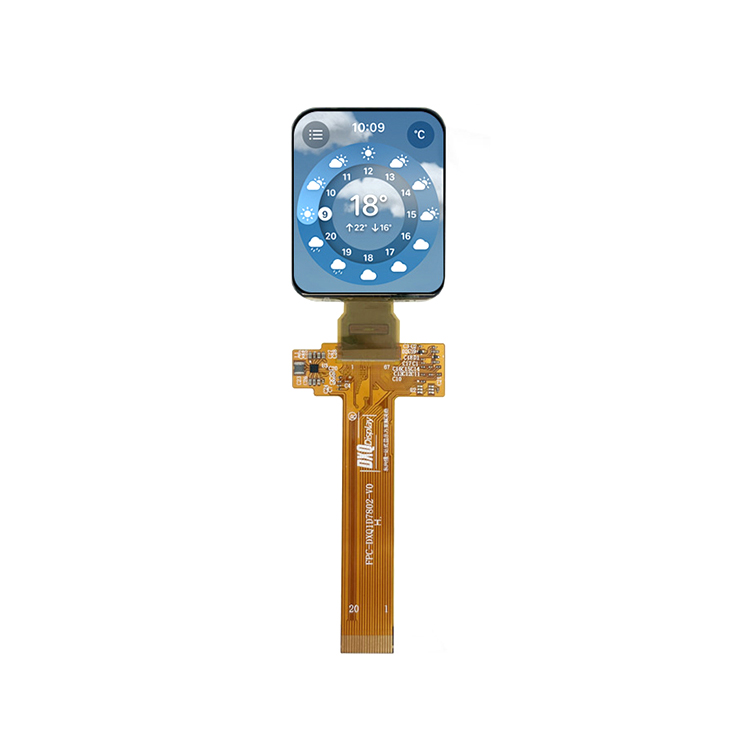
Basic Operating Principle
LCD screens do not generate light themselves. They are transmissive devices that modulate light passing through them. A backlight behind the LCD panel provides the illumination, and the liquid crystals act as light valves, controlling how much light reaches each pixel.
The "liquid crystals" are organic compounds that exist in a state between solid and liquid. They have a rod-like molecular structure that can be oriented by an electric field. When aligned, they affect the polarization of light passing through them.
The basic structure of an LCD pixel includes:
A rear polarizer that filters light from the backlight into a specific polarization direction.
A transparent electrode layer (typically indium tin oxide) that applies voltage to the liquid crystal layer.
The liquid crystal layer itself, typically only a few micrometers thick.
Another transparent electrode layer.
A front polarizer oriented at 90 degrees to the rear polarizer.
Color filters (red, green, or blue) for each sub-pixel.
When no voltage is applied, the liquid crystal molecules twist the polarized light so it passes through the front polarizer, making the pixel bright. When voltage is applied, the molecules align and do not twist the light, so it is blocked by the front polarizer, making the pixel dark. Varying the voltage controls the degree of twist, allowing intermediate brightness levels.
Color Generation
Each pixel on an LCD screen is actually composed of three sub-pixels: red, green, and blue. Each sub-pixel has its own color filter.
By varying the brightness of each sub-pixel independently, the screen can produce a wide range of colors through additive color mixing.
The combination of all three sub-pixels at full brightness appears white; all off appears black.
The number of distinct colors the screen can display depends on the bit depth of the control electronics. 8-bit per channel displays can show 16.7 million colors; 10-bit displays can show over a billion colors.
Refresh Rate and Response Time
The liquid crystals must physically change orientation to switch between brightness levels. This takes time, typically measured in milliseconds.
The response time is the time required for a pixel to change from one state to another. Slower response times can cause motion blur in fast-moving images.
The refresh rate (measured in Hz) indicates how many times per second the image is updated. Common rates are 60 Hz, 120 Hz, and 240 Hz.
What Are the Different Types of LCD Panels?
Not all LCD screens are the same. Several different liquid crystal alignment technologies exist, each with distinct characteristics affecting viewing angles, response times, color accuracy, and contrast.
Twisted Nematic (TN) Panels
TN was the widely used LCD technology and remains common in budget monitors and applications where fast response time is prioritized over image quality.
Advantages:
Fastest response times, typically 1-5 milliseconds, making them preferred for competitive gaming.
Lower manufacturing cost.
Lower power consumption than some alternatives.
Disadvantages:
Poor viewing angles. Colors shift and contrast degrades when viewed from off-center angles, particularly vertically.
Lower color reproduction capability, typically 6-bit per channel (262,000 colors) with dithering to approximate more.
Lower contrast ratios compared to other technologies.
In-Plane Switching (IPS) Panels
IPS technology was developed to address the viewing angle limitations of TN. The liquid crystals align parallel to the glass plates rather than perpendicular.
Advantages:
Viewing angles with minimal color shift, typically 178 degrees.
Color accuracy and reproduction, typically 8-bit or 10-bit per channel.
Good contrast ratios, though not as high as VA panels.
Disadvantages:
Slower response times than TN, typically 4-8 milliseconds, though modern IPS panels have improved.
Higher cost than TN.
Slightly lower contrast than VA panels.
May exhibit "IPS glow," a slight brightening at viewing angles in dark scenes.
Vertical Alignment (VA) Panels
VA panels align liquid crystals perpendicular to the glass when off, tilting when voltage is applied.
Advantages:
Higher contrast ratios of LCD technologies, typically 3000:1 to 5000:1, producing deeper blacks.
Good viewing angles, better than TN but not as good as IPS.
Good color reproduction.
Disadvantages:
Slower response times than TN, particularly for transitions between certain gray levels.
May exhibit "black crush" (loss of detail in shadows) or "gamma shift" at off-center viewing angles.
Cost between TN and IPS.
Advanced Fringe Field Switching (AFFS) and Other Variations
Various manufacturers have developed proprietary variations on these basic technologies, such as PLS (Plane-to-Line Switching, Samsung's IPS-like technology) and AHVA (Advanced Hyper-Viewing Angle, AU Optronics' IPS-like technology).
These variations aim to improve specific characteristics while maintaining the basic advantages of the parent technology.
What Causes LCD Screen Damage and How Can It Be Prevented?
LCD screens are relatively fragile components that can be damaged through various mechanisms. Understanding common failure modes helps in prevention and troubleshooting.
Physical Damage
Cracked glass: The front glass or plastic covering the LCD can crack from impact or pressure. This is the common physical damage. Even if the glass cracks, the LCD itself may continue functioning, but damage to the liquid crystal layer often follows.
Pressure marks: Applying pressure to the screen can disturb the liquid crystal alignment, causing permanent bright or dark spots. This can occur from resting objects on the screen or from improper cleaning pressure.
Broken backlight: Physical shock can damage the backlight system, causing dark areas or uneven illumination.
Image Persistence and Burn-In
Image persistence (temporary): When a static image is displayed for extended periods, liquid crystals may become temporarily "stuck" in one orientation, causing a faint ghost image to remain when the display changes. This is often temporary and may fade with use or with screensavers that cycle through colors.
Burn-in (permanent): Unlike plasma and OLED, LCDs are relatively resistant to permanent burn-in. However, prolonged static display can cause permanent changes to the liquid crystal material or degradation of the backlight in specific areas, bring about permanent image retention.
Dead and Stuck Pixels
Dead pixels: Appear as permanently black spots where the pixel does not transmit light. This is typically caused by failure of the transistor controlling that pixel, preventing any voltage from being applied.
Stuck pixels: Appear as permanently bright (usually red, green, or blue) spots where the pixel is stuck in the "on" position. This can sometimes be temporary and may be corrected by rapidly cycling the pixel through colors.
Manufacturing tolerances allow a certain number of dead or stuck pixels in new displays, with acceptable quantities varying by manufacturer and panel class.

 Building 1 and 2, No. 2269, Jingzhong Road, Hongjia Street, Taizhou, Zhejiang, China
  +86-18857621312
  info@zinntu.com

 English
 русский
 عربى
عربى
